Remember the dark days of "Final_FINAL_v2_EDITED_USE_THIS_ONE.docx"?
Yeah, we'd like to forget them too.
From chaotic email threads with attachment anxiety to intelligent, AI-powered collaboration spaces that actually make sense, SharePoint's evolution is basically a mirror of our collective journey toward smarter, more connected work. Whether you're an IT leader wrestling with governance nightmares, an employee experience champion fighting for adoption, or a digital workplace architect designing tomorrow's workspace, this one's for you.
Let's celebrate the wins, call out the workplace sins we're finally leaving behind, and give a standing ovation to the platform that made it all possible.
If you've ever experienced the pure dread of pre-cloud collaboration, you know this pain point intimately. Let's count the ways SharePoint saved us:
SharePoint Online didn't just eliminate this chaos, it obliterated it. Document versioning isn't just a fancy backup feature; it's a time machine for your content.
Every save creates a snapshot, stored neatly within the document library (not as a million separate files cluttering your view).
Think of it like Instagram for your documents, every save is a post, capturing that exact moment in your document's evolution. Except way more useful and significantly less filtered.
Multiple people. One document. Zero email ping-pong. SharePoint enables real-time co-authoring with version history tracking and secure sharing—a game-changer for hybrid teams who were drowning in constant file exchanges.
No more "marketing-final.docx," "marketing_final2.docx," or the dreaded "marketing_VFinalOMG.docx." Just one single source of truth that everyone can access. Revolutionary.
Someone accidentally deleted three paragraphs of brilliance? With versioning, you can roll back to the last clean version faster than you can say "Ctrl+Z panic attack." No backup restoration drama required.
Each version comes with receipts: a timestamp and the author's name. You'll always know who changed what and when—critical for compliance environments and settling "but I didn't touch that section" debates.
Major versions (1.0, 2.0) mark milestones and published content. Minor versions (1.1, 1.2) track drafts and iterative changes. It's like having editorial workflows built right into your file system.
For teams working across time zones, version history is like leaving breadcrumbs through your document's journey. No more "Who changed this?" or "Why was this deleted?" mysteries, just review past versions and understand the content evolution.
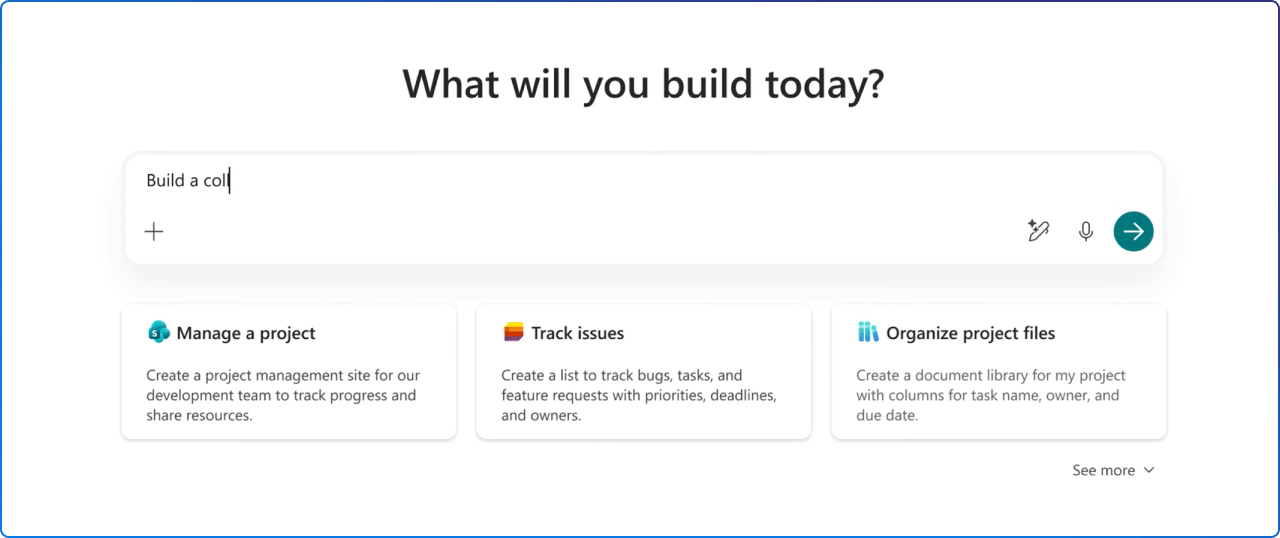
Long before the term “citizen developer” became mainstream, SharePoint empowered employees to build solutions without writing code. Citizen building in SharePoint wasn’t about replacing IT, it was about accelerating teams with guardrails in place.
As owners curated navigation, hubs, and content roll‑ups, SharePoint shifted IA from a centralized task to a collaborative practice rooted in real business needs.
SharePoint Lists empowered business users to track requests, issues, assets, and tasks without custom development or third-party tools.
Non-technical staff could create rich pages with text, links, files, and web parts, turning knowledge holders into content owners.
Through columns, views, and filters, users shaped how information was organized and found, without relying on IT-managed structures.
Teams cloned proven structures for projects, departments, and initiatives, reducing time-to-value while keeping governance intact.
Early automation began where documents and lists lived, reinforcing SharePoint as the foundation before extending into broader automation later.
Guardrails like permission levels, retention policies, and site lifecycles allowed users to build confidently without putting organizational knowledge at risk.
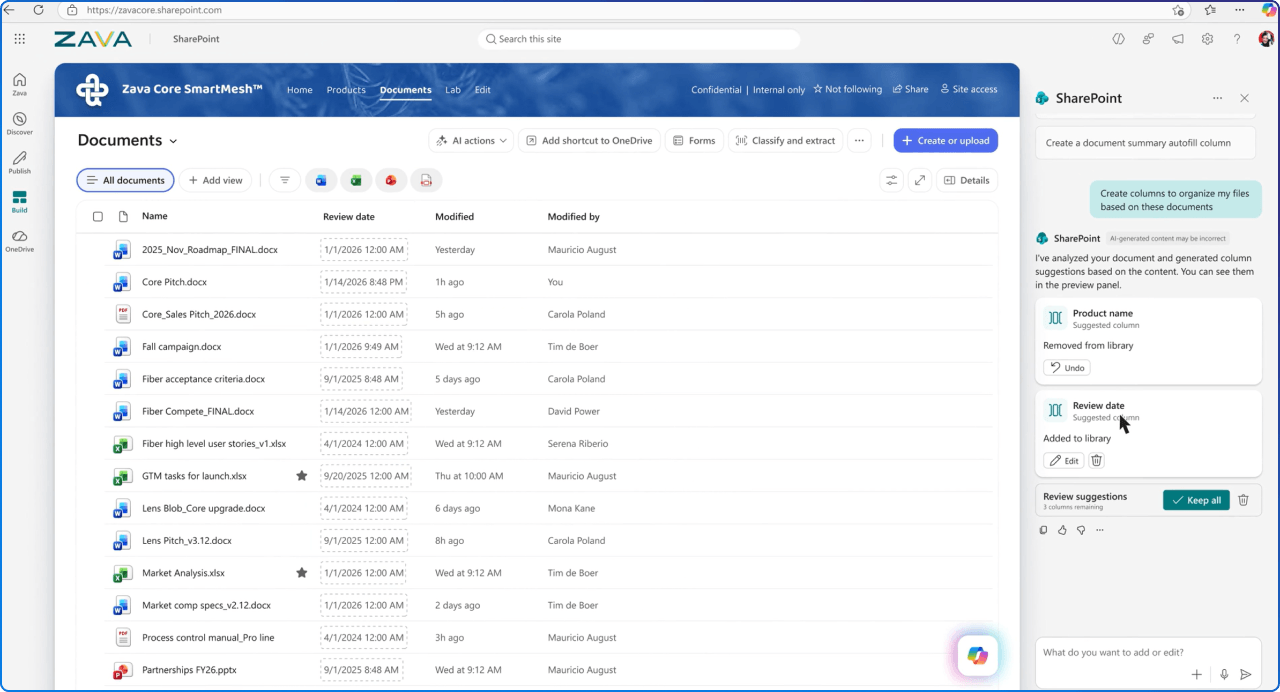
AI-powered virtual assistants now provide real-time support, boosting productivity, while intelligent search delivers highly personalized, context-aware results. It's like having a really smart colleague who never sleeps.

The pandemic didn't invent remote work, it just accelerated what SharePoint had been quietly building toward for years. Here's how it became the infrastructure for the future of work:
Every team had a shared space for files, updates, and context, available whether employees were at home, in the office, or on the road.
Audience‑targeted SharePoint news ensured employees saw updates relevant to their role or team, supporting clarity in distributed, hybrid environments.
SharePoint pages reduced meeting dependency by capturing decisions, updates, and resources in a persistent, accessible format.
Documents stored in SharePoint Online are accessible from any supported device. Laptop at the office, tablet at home, phone on the train, continuity follows you everywhere.
Multiple people could work on the same document without scheduling time together, supporting true flexibility in how and when work happened.
SharePoint’s mobile experience connected frontline and deskless workers to the same information as office-based teams.
Permissions, sensitivity labels, and sharing controls ensured information stayed protected, regardless of location or device.
Hub sites brought related sites together under shared navigation and branding, helping employees understand how their work connected across departments.
Instead of relying on chat threads or meetings, SharePoint sites captured outcomes, decisions, and resources in a durable space teams could return to anytime.
Here's the truth: Deployment is only the beginning.
At 2toLead, we've learned that driving adoption is crucial to employee effectiveness, efficiency, and ultimately, business costs.
Our approach recognizes a fundamental reality: The value of technology is not realized upon purchase or deployment; it's realized as more and more users understand, adopt, and embrace the technology.
Getting more people to use technology matters, but getting people to use more of the technology is just as important, if not more.
Successful adoption isn't measured in infrequent, basic usage; it's measured in impact and maximizing the benefits the technology provides on an ongoing basis.
SharePoint gives us a better home for documents. With real‑time co‑authoring, version history, and shared workspaces, files can live where teams actually collaborate, not buried in inboxes or duplicated across attachments.
Work no longer happens at a desk and SharePoint reflects that. Cloud‑based document libraries let people securely access the content they need, whether they’re in the office, at home, or on the go.
Modern SharePoint sites make sharing clearer and more intentional. Team sites, Microsoft 365 groups, and role‑based permissions help balance simplicity with governance so access feels designed, not negotiated.
SharePoint is getting smarter about content. Intelligent search, document understanding, and AI‑powered experiences reduce the burden on employees while still making information easier to discover and reuse.
SharePoint empowers teams to build for themselves. Lists, pages, templates, and integrations enable employees to create lightweight solutions quickly, freeing IT to focus on higher‑impact initiatives while innovation happens everywhere.

The success of SharePoint would not be possible without the global community of Microsoft SharePoint MVPs, practitioners, architects, designers, and leaders who push the platform forward.
Special recognition to pioneers like:
... and the hundreds of others who contribute through community events, patterns & practices, open-source tooling, and daily problem solving. Thank you for making SharePoint what it is today. Here's to the next 25 years of innovations.


Join Our Newsletter